✦ No install. Runs entirely in your browser.
Your productdeserves abetter demo.
Make any screen recording look launch-ready — no video editor needed.

← Drag to compare →
Beautiful Backgrounds Built In
Choose from 15+ curated wallpapers inspired by macOS, or use your own colors and gradients.
Full control with our web editor
Feels like magic.
Upload your video, pick a style, adjust zoom keyframes, and export — all from your browser.
Try CinePhone Now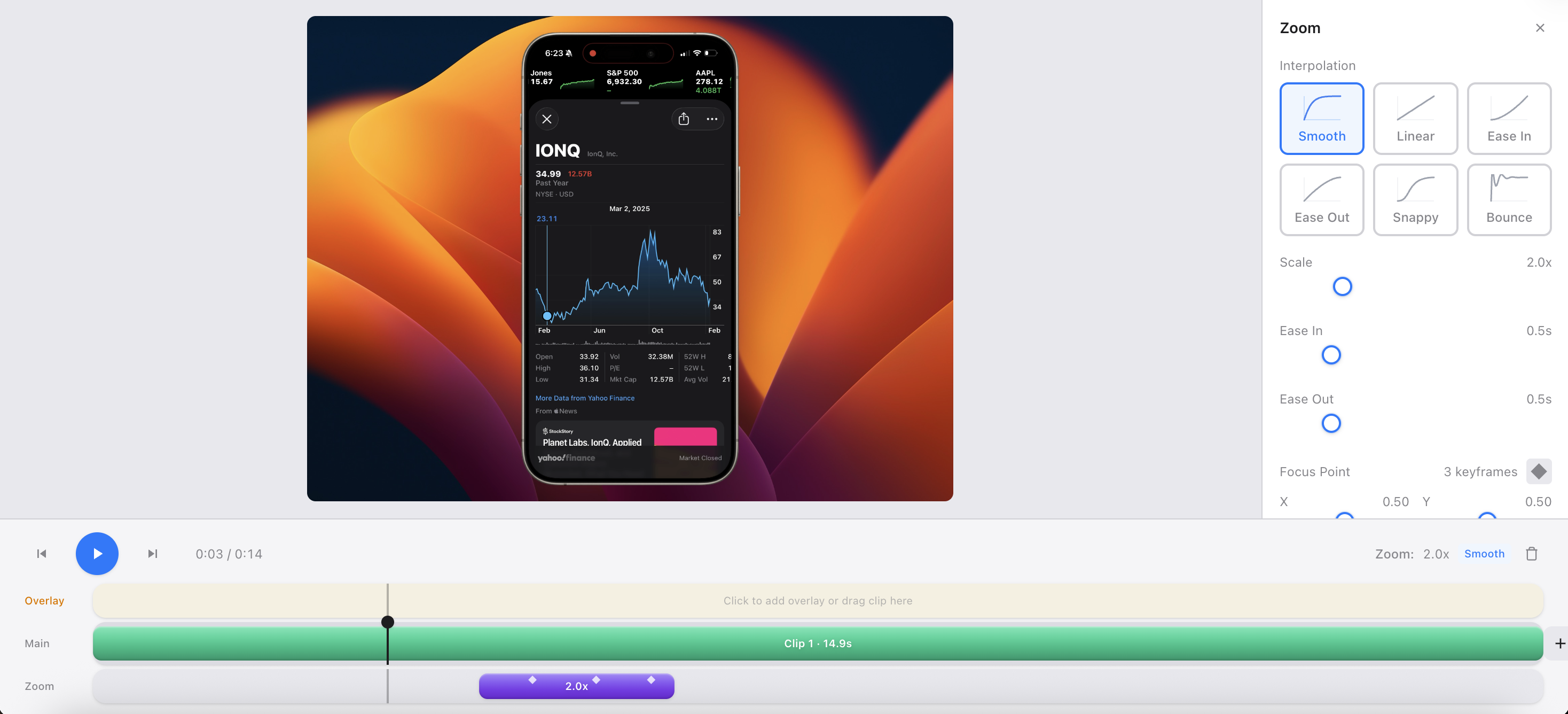
Feature Set
Everything you need to ship demo videos fast
CinePhone removes the fiddly editing work so you can record once and publish polished product videos everywhere.
Workflow command center
Edit once. Reuse everywhere.
Start with any screen recording, choose your visual style, then export a clean launch-ready clip for socials, docs, and store listings.
Why teams pick CinePhone
Skip the editor learning curve
Built for product teams, not motion designers.
Private by default
Video processing runs locally in your browser.
Consistent brand output
Use presets so every demo looks on-brand.
Make every capture look native to modern devices with pixel-perfect frame overlays.
Add smooth keyframed zooms to guide attention without choppy jump cuts.
Export clean MP4 files ready for social, docs, sales, and release videos.
Live preview
Pick a background.
15+ curated backdrops built in — gradients, landscapes, and more. Click any swatch to see it live.


How it works
From raw capture to polished demo in 3 moves
The flow stays simple on purpose, so your team can move from recording to publishable video without getting stuck in editing tools.
Upload recording
Drag in any screen capture and jump straight into editing.
Style your demo
Pick a background, add device framing, and drop zoom keyframes.
Export and publish
Render a clean MP4 and post it to your launch channels.
Pricing
Simple, transparent pricing
Try the editor for free with a watermark, or unlock everything with a plan.
By purchasing, you agree to our Terms, Billing Policy, and Promotion Terms.
Free
Full editor access with a CinePhone watermark on exports.
- All editing features
- All backgrounds & wallpapers
- Cinematic zoom animations
- Watermark on exports
Pro
No watermark, unlimited exports.
- Everything in Free
- No watermark
- Unlimited HD exports
- Priority support
Lifetime
Pay once, own it forever. Deal ends June 1, 2026.
- Everything in Pro
- Lifetime access
- All future updates
Ready to make something cinematic?
Subscribe or grab the $80 lifetime deal before it's gone. No watermarks and unlimited exports.
Try CinePhone NowFAQs
Frequently asked questions
Yes! The editor is fully functional for free — you can use all features, backgrounds, and zoom animations. Free exports include a small CinePhone watermark. Upgrade to Pro or Lifetime to remove it.
Pro ($8/month or $60/year) removes the watermark, gives you unlimited HD exports, and priority support.
Pay $80 once and you get everything in Pro forever — no recurring charges. That includes all future updates and features we add. This is a limited-time deal that ends June 1, 2026.
Video processing happens entirely in your browser — your raw videos never leave your device.
You can import any video format your browser supports (MP4, MOV, WebM, etc). Export is always high-quality MP4.
Yes, cancel anytime. You'll keep access through the end of your billing period. For full billing, cancellation, and refund details, see our Billing Policy.